How to edit your live stream automatically (2026)
To edit a live stream automatically, record it in a tool that transcribes it, then let software use the word timings to cut the dead air and filler words, turn on captions, and pick out chapters and clip-worthy moments, so you review the result instead of building it.
In BrightSide Streams this starts by itself: after your show the recording is transcribed, and the editor makes a ready draft with filler words and long pauses cut, Studio Sound on and captions on, plus a title, chapter cards, music and clips on paid plans. You switch off anything you do not want, then publish.
What does it mean to edit a stream automatically?
Most of the work in a stream edit is mechanical. Someone has to trim the countdown at the start and the silence at the end, take out the ums and the long pauses, add captions, mark chapters, write a title, and cut a few short clips for social. On a two-hour show that is easily an afternoon.
Software can do the mechanical parts well, because all of them come from one thing: a transcript that knows exactly when each word was said. The judgment calls stay with you. A pause can be a joke landing, and only you know which tangent your audience loves.
How do you edit a live stream automatically, step by step?
This is the method in any tool. The order matters, because each step builds on the one before it.
- Record a clean copy. Stream and record at the same time, at the best quality your connection allows. A separate recording of each person makes every later step easier.
- Get a transcript with word timings. Every automatic edit is built on knowing when each word starts and ends.
- Cut the dead air and filler words. Trim the countdown before you start and the silence after you finish, then the ums, the uhs and the long pauses.
- Turn on captions. Many people watch with the sound off, and captions also make your words searchable.
- Add chapters and a title. Chapters let viewers jump to the part they came for, and a clear title tells search what the show is about.
- Cut clips from the best moments. Short, vertical and captioned, one idea each.
- Review before anything goes out. Watch the draft, undo what you do not like, then publish.
Done by hand across several apps, that list is hours per show. The rest of this guide shows how BrightSide Streams does it for you.
How does BrightSide Streams edit your stream for you?
BrightSide Streams is a browser studio for live shows and podcasts. You go live or record in your browser with your guests, Multistream to all your platforms at once, and the editing starts when the show ends.
- Stream or record in the studio. For YouTube, Facebook and Twitch a stream key is enough, and any platform that gives you a stream address and key works too. Press X during the show to mark a moment you want as a clip.
- The recording is transcribed after the show. This happens on every plan, and the captions are made from the same transcript.
- Open the episode in the editor. The first time you open an episode you have not edited, the editor makes a ready draft by itself: filler words and long pauses cut, the countdown at the start and the silence after your last word trimmed, Studio Sound on, captions on, layouts that follow whoever is speaking, a soft dissolve at each cut and a name tag the first time each person speaks. On a paid studio plan the draft also comes with a title, chapter cards and music, directed by AI for that episode within your plan's monthly allowance.
- Check what was done. A card lists every change, and each one is a switch. The draft is a separate version, so your recording and your own edit are never touched.
- Get your clips. Moments you marked with X are cut as clips after the show. On paid studio plans, a show with no clips yet gets up to three cut by themselves from its strongest moments. With the AI Studio add-on the studio also writes show notes, chapters and title ideas and cuts clips on every episode.
- Review and publish. Clips wait on your clip shelf until you approve them. Nothing goes public until you say so.

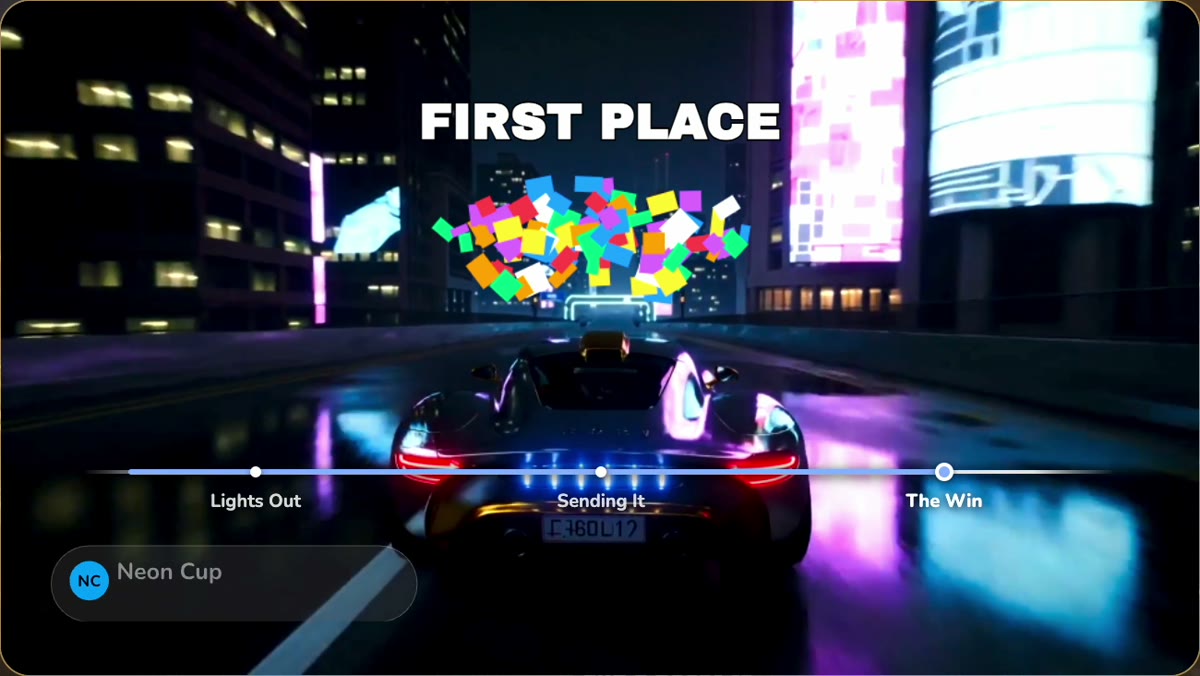
What does the AI crew do after a show?
Paid studio plans come with an AI crew of six. Lexi, your supervisor, checks an episode before it goes out and names the first thing to fix. Sol, your assistant, books sessions and writes guest invites. Iris edits your episodes, Kit finds your best moments for Shorts and Reels, Nova plans where and when each clip goes, and Penny tells you when you are ready for sponsors and writes the pitch from your real numbers.
After a recording the crew can work by itself. Iris puts the chapters and name tags on the draft, Kit puts clips on your shelf for review, and Nova drafts a posting plan that waits for your tap. The episode tells you what your crew did while you were away, and every step can be undone.
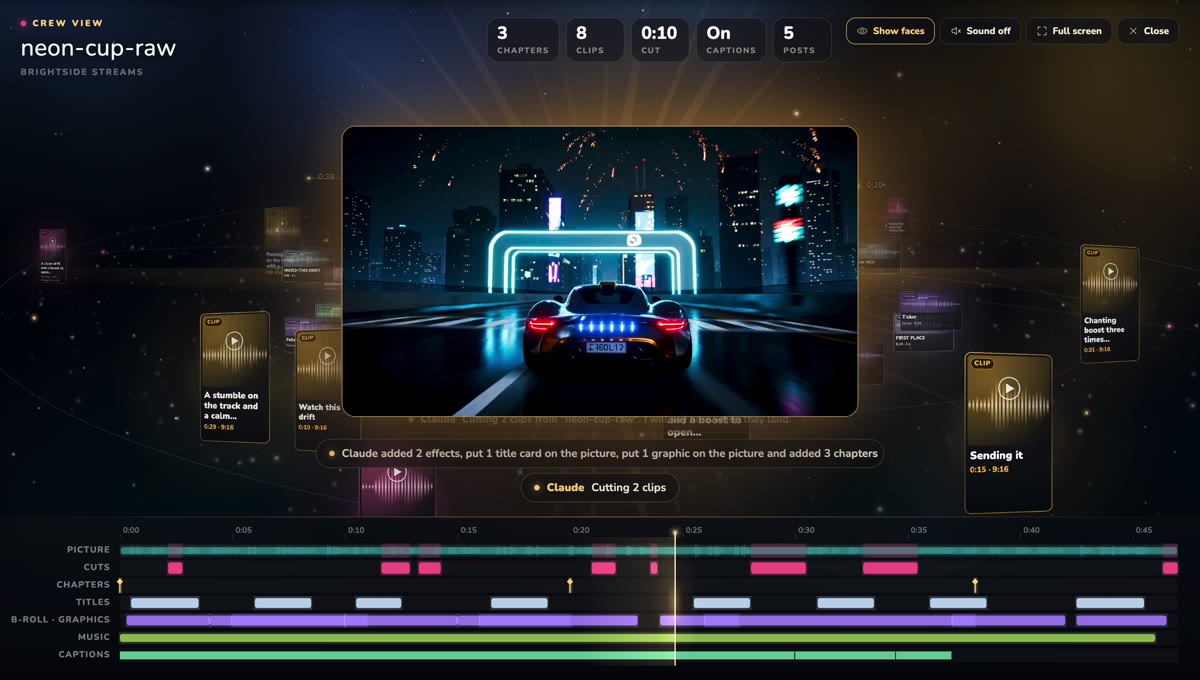
What can automatic editing not do?
It does not know your audience. A cut that looks like filler can be a beat, so watch the draft once before you publish. It also follows the words, so a show with very little talking gets fewer cuts.
One limit to know in BrightSide Streams: if you upload a video recorded somewhere else, a background swap or an effect shows in the editor preview only. It cannot be rendered into an uploaded file yet.
How much does it cost?
The free plan gives you 30 studio minutes a month in full 1080p, with no card. Every paid plan starts with a 3-day free trial that takes a card, and you can cancel anytime. The AI crew is on paid studio plans. On paid studio plans the title, chapter cards, music and clips are also made by themselves after each show. See pricing for the plans.
Stream it. It comes out edited.
Try it freeFree plan: 30 studio minutes a month in full 1080p. Paid plans start with a 3-day free trial.
Questions people ask
Can I edit a live stream automatically for free?
Yes. The free plan includes 30 studio minutes a month in full 1080p with no card, and the editor makes the same ready draft for it: filler words and long pauses cut, Studio Sound and captions. The AI crew is on paid studio plans, and so are the title, chapter cards, music and clips made after each show.
Does automatic editing change my original recording?
No. The ready draft is a separate version. Your recording and your own edit stay as they were, and every change on the draft can be switched off or undone.
How long does the automatic edit take?
The transcript is made after the show ends. Once it is in, the editor builds the ready draft in a few seconds the first time you open the episode.
Will it post my clips without asking?
No. New clips wait on your clip shelf as pending, nothing is public until you approve it, and posting a clip to YouTube or TikTok asks you first.
Can I edit a stream I recorded somewhere else?
Yes. Upload the video and it opens in the same editor. On an uploaded video a background swap or an effect shows in the editor preview only, and cannot be rendered into the file yet.