How to turn a podcast episode into clips (2026)
To turn a podcast episode into clips, search the transcript for moments that make sense without the rest of the talk, cut each to under a minute starting on its strongest line, make it vertical with captions, and post one a day that points back to the full episode.
In BrightSide Streams you mark moments while you record, your own AI app can find more by topic, and every clip waits on a shelf for your yes before anything posts.
What makes a podcast moment worth clipping?
A podcast is a long conversation, and most of it needs the minutes around it to make sense. A good clip is the exception: someone new to the show understands it and wants more. Look for these:
- A strong opinion, said plainly. One sentence people will agree or argue with.
- A story with an ending. Under a minute, start to finish.
- A useful answer. A guest explains one thing well, in their own words.
- A surprise. A laugh, a confession, a number nobody expected.
Skip moments that lean on an earlier part of the talk, like "as I said before" or "that thing we mentioned". They lose a new viewer in the first second.
How do you find the moments in a long episode?
Listening to an hour again is the slow way. Three faster ones:
- Mark them while you record. When a moment lands, mark it, and you have a list before the show ends.
- Search the transcript by topic. Look for the words of the subjects people search for, and the places where the conversation speeds up.
- Ask your guest. Guests remember the part they are proudest of, and they share clips of it.
How do you turn a podcast into clips, step by step?
This is the method in any editor.
- Pick five to ten moments. From an hour-long episode, that is usually enough for a week or two of posts.
- Start on the strongest line. Cut the warm-up. The first three seconds decide whether anyone stays.
- Keep it under a minute. Thirty to sixty seconds is plenty for one idea.
- Make it vertical, on the speaker. Frame whoever is talking, and switch when the other person answers.
- Add captions. Many people watch with the sound off, and captions keep them.
- Point back to the episode. Say the show name, and put the episode link where the platform allows it.
How does BrightSide Streams turn your podcast into clips?
BrightSide Streams is a browser studio for podcasts and live shows. Clips come from the same recording and the same transcript as the episode.
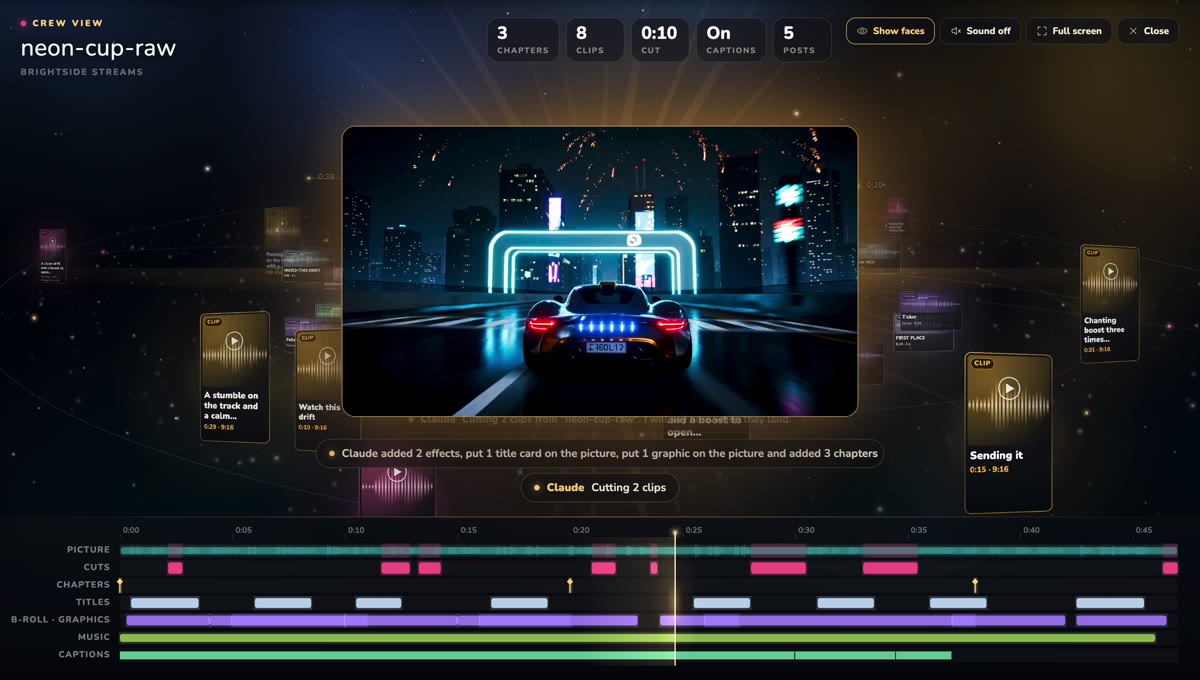
- Mark moments while you record. Press X during the show when a moment lands. Marked moments are cut as clips after the show.
- Let the studio find more. On paid studio plans, a show with no clips yet gets up to three cut by themselves from its strongest moments. With the AI Studio add-on, the studio cuts clips on every episode.
- Ask your own AI by topic. Connect Claude, ChatGPT or another AI app and ask, for example, for 30 seconds where your guest talks about her first sponsor. It cuts vertical clips with captions and your show's brand, up to three at a time, each 5 to 60 seconds.
- Approve on the clip shelf. New clips wait as pending, and nothing is public until you approve it.
- Post with a yes. Posting a clip to YouTube as a Short or to TikTok asks you first.
How many clips should one episode get, and when do you post them?
For an hour-long episode, five to ten clips is a good target. Post the strongest one the day the episode comes out, then one a day for the rest of the week, so each clip sends new listeners to an episode that is still fresh.
Watch which clips bring people to the full episode, not only which ones get views. Those tell you what to clip next time, and what to talk about more.
What if your podcast was recorded somewhere else?
Upload the episode. It is transcribed and opens in the same editor, and you or your AI app can pick the moments the same way. On an uploaded video, a background swap or an effect shows in the editor preview only.
The free plan includes 30 studio minutes a month in full 1080p, with no card, and every paid plan starts with a 3-day free trial that takes a card. See pricing for the plans and the AI Studio add-on.
Record it. The clips are waiting.
Start freeFree plan: 30 studio minutes a month in full 1080p. Paid plans start with a 3-day free trial.
Questions people ask
How long should a podcast clip be?
Under a minute, and often 30 to 45 seconds. When your AI app asks for clips in BrightSide Streams, each one is 5 to 60 seconds.
How many clips should I make from one episode?
Five to ten from an hour-long episode is a good target. Post the best one first and space the rest out over the week.
Do my clips post by themselves?
No. New clips wait on your clip shelf as pending until you approve them, and posting a clip to YouTube or TikTok asks you first.
Can I make clips from a podcast I recorded somewhere else?
Yes. Upload the episode, and it is transcribed and opens in the same editor, where you can pick the moments.
Are clips free?
Moments you mark with X are cut as clips after the show. On paid studio plans the studio also cuts up to three by itself on a show with no clips yet, and the AI Studio add-on cuts clips on every episode.